Why 80% of SME Websites Don't Convert (Fix It)
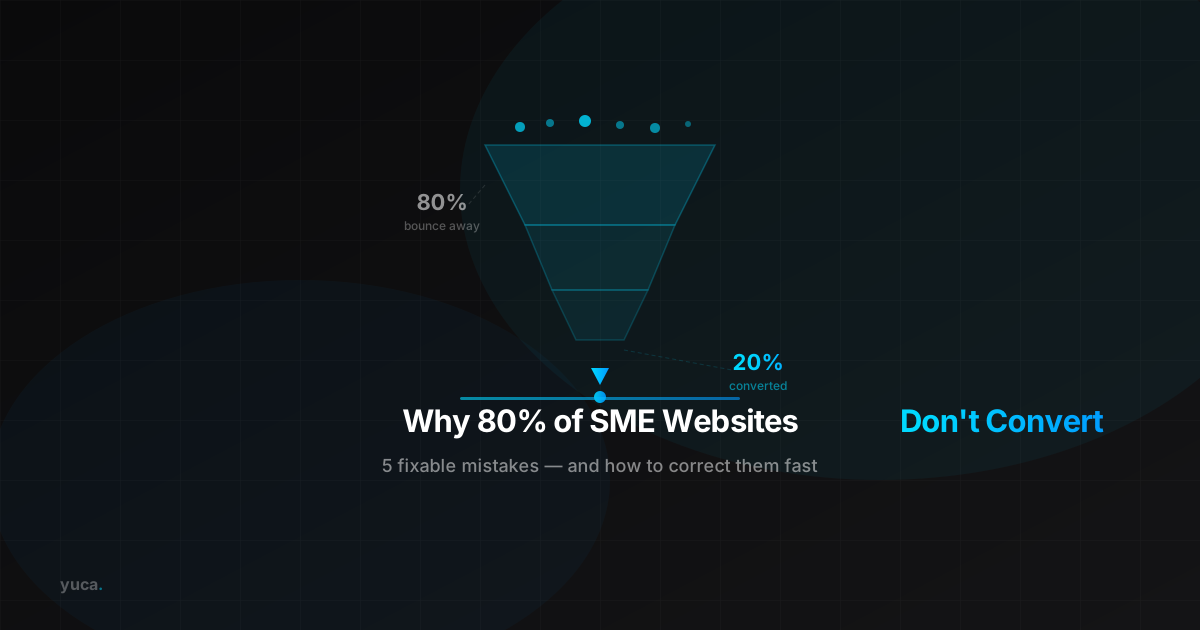
80% of small and medium-sized business websites fail to convert visitors into customers — and the problem is rarely the design. It is almost always the same five fixable mistakes: unclear messaging, missing calls to action, slow mobile performance, no social proof, and zero analytics tracking. If your website attracts traffic but generates few leads or sales, here is how to diagnose and correct each blocker.
What Does Conversion Rate Mean for an SME?
Your conversion rate is the percentage of visitors who take the action you want: filling out a form, calling, booking, or buying. For a typical SME website, a rate between 2% and 5% is healthy. Below 1%, your site is actively losing money — you spend on traffic that leaves without acting. The good news: most conversion blockers can be fixed without a complete website rebuild. Targeted changes often deliver faster results than starting from scratch.
Mistake #1: Your Message Doesn't Speak to Your Visitor
When someone lands on your homepage, they decide within 3 seconds whether to stay or leave. If your headline reads «Welcome to [Company Name]» or describes your «commitment to excellence,» most visitors will bounce immediately — without ever contacting you.
The formula that converts: «You [problem]? We [solution] in [timeframe].» Example: «Need an electrician available today in Lyon? We respond within 2 hours.» Direct, visitor-centred, and locally anchored. For local businesses, including your city or region in the hero text also strengthens your local SEO ranking significantly.
Mistake #2: No Clear Call to Action
Visitors don't go searching for your contact page. They need to be told what to do, right now. More than half of SME websites have no action button visible without scrolling — and those that do often use weak text like «Learn more» or «Click here.»
The rules for CTAs that actually work:
- One primary CTA per page — too many choices create paralysis.
- Active, specific text: «Get a Free Quote» outperforms «Contact Us» every time.
- Above the fold: a high-contrast button in the header and hero section.
- Repeated mid-page and at the bottom for visitors who scroll before deciding.
For businesses that want to go further, an AI chatbot turns passive visits into active conversations — available 24/7, qualifying leads before they even submit a form.
Mistake #3: Slow or Broken on Mobile
Over 60% of local business web traffic comes from smartphones. A site that takes more than 3 seconds to load loses 53% of its mobile visitors. Most SME websites built before 2023 load in over 5 seconds on mobile networks — a double problem, since Google also ranks slow sites lower in search results.
Common culprits: unoptimised images (heavy JPEGs instead of WebP), unnecessary WordPress plugins, cheap shared hosting with no CDN or caching layer. Run your site through Google PageSpeed Insights. A mobile score below 50 is a direct warning that requires action.
Mistake #4: No Social Proof Where It Matters
Before contacting a business they don't know, your prospects look for evidence that you have helped people like them. Reviews, testimonials, partner logos, and concrete figures are the elements that tip the decision — yet they are absent from most SME websites, or buried on a page nobody visits.
What to display on your homepage:
- 3–5 customer testimonials with first name, city, and photo if possible
- Your Google rating: «4.8/5 across 127 reviews»
- Proof-of-scale numbers: «350+ clients served since 2019», «95% satisfaction rate»
- Logos of known clients or relevant professional certifications
No reviews yet? Send a short text to your last 10 satisfied customers with a direct link to your Google Business Profile. The conversion impact is measurable within weeks. To understand the broader digital picture, explore how digital is transforming customer service for small businesses.
Mistake #5: No Measurement, No Improvement
Most SMEs launch their website and never look at the data. Without measurement, you cannot know what is blocking conversions. Google Analytics 4 is free and shows exactly where visitors drop off. Microsoft Clarity (also free) records sessions and generates heatmaps — you can literally see where users click and where they stop scrolling.
Key metrics to review every month: bounce rate (over 70% signals a homepage problem), exit pages, conversion rate by traffic source, and average time on page. These four numbers tell you everything you need to prioritise your next improvements.
How Yuca Fixes These Issues in 30 Days
Yuca has developed a 48-hour site diagnostic that identifies your three highest-impact conversion blockers. Our approach covers three phases: a full audit of your messaging, CTAs, and technical performance; targeted fixes including a hero message rewrite, high-contrast CTA buttons, and image optimisation; then 30-day conversion tracking to measure the real impact against your baseline.
SME websites optimised by Yuca typically see their conversion rate double or triple within a month — without a full rebuild. For businesses building from scratch, Yuca integrates these best practices from day one. Our plans start at 79 EUR/month all-inclusive: diagnostic, fixes, hosting, and monthly monitoring. Explore Yuca's plans or try Shopshots to upgrade your product photography with AI.
Conclusion
A website that doesn't convert is not a permanent condition. The five mistakes in this guide are all fixable without rebuilding everything. Start by reading your homepage as a first-time visitor who knows nothing about your business. You will spot the friction points immediately. And when you need structured support, Yuca is here to turn your website into a client-generation machine.
Frequently asked questions
What is a good conversion rate for a small business website?
A rate between 2% and 5% is considered healthy for an SME website. Below 1%, your site costs more than it generates. At Yuca, we aim for a minimum of 3% within the first month of optimisation.
How do I know if my website isn't converting well?
Install Google Analytics 4 (free) and compare session counts to form submissions or calls. If fewer than 1 in 100 visitors contacts you, your site has a conversion problem. Yuca offers a free 48-hour audit to identify your top blockers.
Do I need to rebuild my whole website to improve conversions?
No. In most cases, targeted fixes are enough: rewrite the hero message, add visible action buttons, optimise images, and display customer reviews. At Yuca, we always start with an audit before recommending a full rebuild.
Why does my website load slowly on mobile?
Common causes are unoptimised images, cheap shared hosting, and unnecessary plugins. Run a free test on Google PageSpeed Insights. A mobile score below 50 is a red flag that directly hurts both conversions and Google rankings.
How can I get customer reviews quickly for my website?
Send a short text or email to your last 10 satisfied customers with a direct link to your Google Business Profile. Most leave a review within 48 hours when the link is direct. Yuca integrates this process into its monthly support plans.